Sora You play. Sora presses.
A small Windows macro that repeats the keys and clicks you choose — evenly paced from 1 to 500 per second — and stops the instant you let go.
- Key delivered right after payment
- One small file, no installer
- English & Arabic
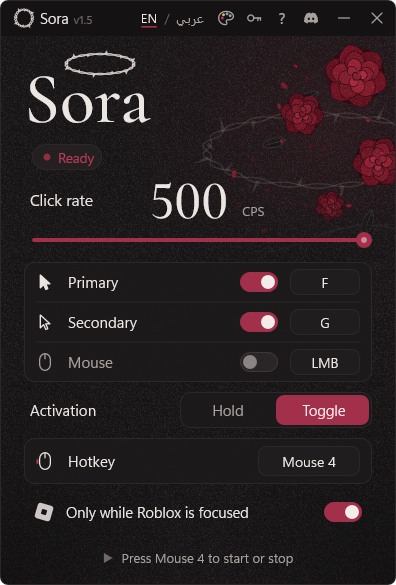
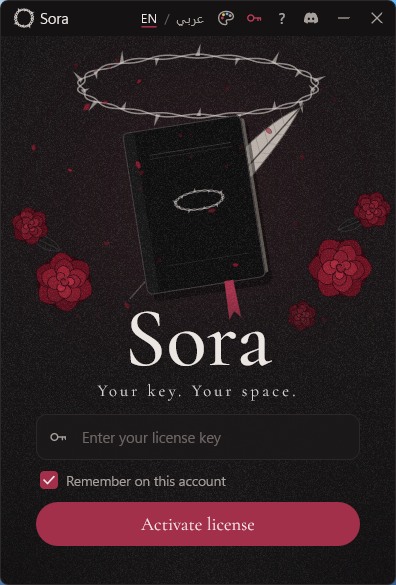
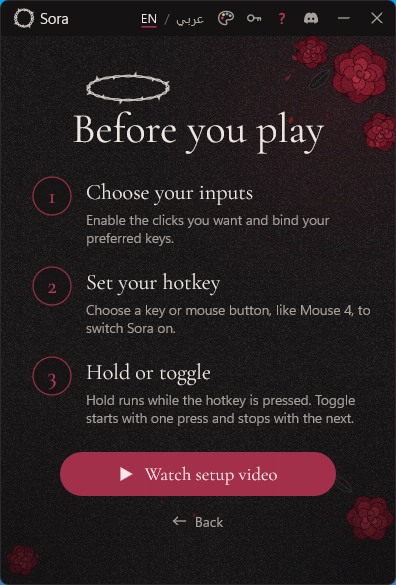
Set your outputs, rate and hotkey on one screen.
Everything on one screen
Sora does one job and stays out of the way while you play.
Try the activation modes
ReadyPress and hold the button. Presses run only while you hold it.
-
3 outputs
Three outputs
Primary F, Secondary G and left click. Switch each on or off and rebind it to any key or mouse button.
-
1–500 CPS
A rate you set
Drag the slider or type an exact number. Presses are evenly spaced and never burst to catch up.
-
Hold · Toggle
Your hotkey, your mode
Mouse 4, Mouse 5 or any key. Hold it to run, or tap once to start and again to stop.
-
Focus-aware
Stays in the game
With “Only while Roblox is focused” on, Sora stops the moment you switch away. Coming back needs a fresh press.
-
≈ 1.6 MB
Light on your PC
One file, no installer. It sleeps while idle and draws its window without the graphics card.
-
EN · عربي
English and Arabic
The whole app, including errors and help, in English or Kuwaiti Arabic, with a proper right-to-left layout.
Before you play
Three steps from checkout to your first match.
-
Get your key
Pick a plan and pay. Your license key appears on this page and is sent to your email.
-
Open Sora and activate
Run Sora-v1.5.exe, paste your key and press Activate license. Nothing to install.
-
Set it up and play
Turn on your outputs, set the rate and hotkey, choose Hold or Toggle, then join your game.
Choose your plan
One license per Windows account. Same app, same features. Only the access period differs.
| 3 days | Lifetime | |
|---|---|---|
| Access | 3 days from activation | No expiry |
| All features | ✓ | ✓ |
| Updates | While your access lasts | All future updates |
| Support | Discord | Discord |
Questions
Still stuck? Message us on Discord and include what you see on screen.
Message us on DiscordWhen do I get my key?
Right after payment. It appears on this page and is emailed to you. If you close the page, open “My key” at the top in the same browser, or message us on Discord with your order email.
Windows warned me when I opened Sora
Only download Sora from this site. If Windows blocks or warns about the file, message us on Discord before running anything else.
Can I use my key on another PC?
A key works on one Windows account. If you change PC or reinstall Windows, message us and we’ll reset it.
Does a higher click rate win games?
No. Sora repeats inputs reliably, but games read input once per frame and set their own rules. There’s no promise about results.
Is it allowed in games?
Sora only sends normal key and mouse presses and never touches a game’s files or memory. Each game has its own rules about macros, so check them. Using Sora is your responsibility.
Something isn’t working
Message us on Discord with your order email and a screenshot of the message in Sora. We’ll help you get it running.